Best Laptops for Students in 2026: Value Picks Tested
Laptops
By Marwin Jaino Cervañez


Tab 1
[Image: Unsplash]
Choosing a laptop for school has become more confusing than it should be. Prices keep climbing, AI features are being shoved into every product launch, and manufacturers love advertising specs that sound impressive but don't actually improve everyday schoolwork.
After looking at performance, battery life, portability, keyboard quality, and overall value, we've compiled this list of the Best Laptops for Students in 2026: Value Picks Tested. Whether you're writing essays, attending online classes, editing videos, or tackling engineering coursework, these machines deliver the best balance of price and performance.
What Makes a Great Student Laptop in 2026?
Forget flashy AI branding and OLED marketing talk. Students need three things:
Battery life that lasts a full school day
Smooth performance for browsing, docs, and video calls
A price that doesn’t feel like a tuition installment plan
Everything below is judged on real-world student use, not benchmark flexing.
Our Top Value Picks
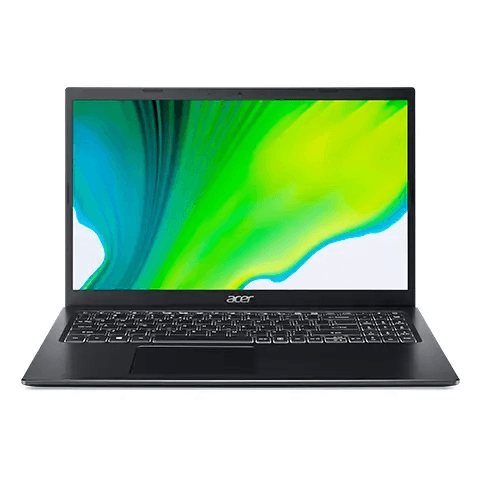
1. Acer Aspire 5
[Image: Acer]
Overall Grade: A
Typical Price Range: $500–$700
The Acer Aspire 5 is still the “safe choice” laptop in 2026, and that’s not a bad thing. It’s not flashy, but it gets everything right where it matters. Solid keyboard, dependable Intel Core i5 / Ryzen 5 options, and enough power for everyday schoolwork without lag.
This is the laptop you buy when you just want something that works for 3-4 years straight.
Pros
Strong performance for the price
Upgrade-friendly (RAM/SSD)
Reliable battery life
Good port selection
Cons
Basic design
Display is just okay
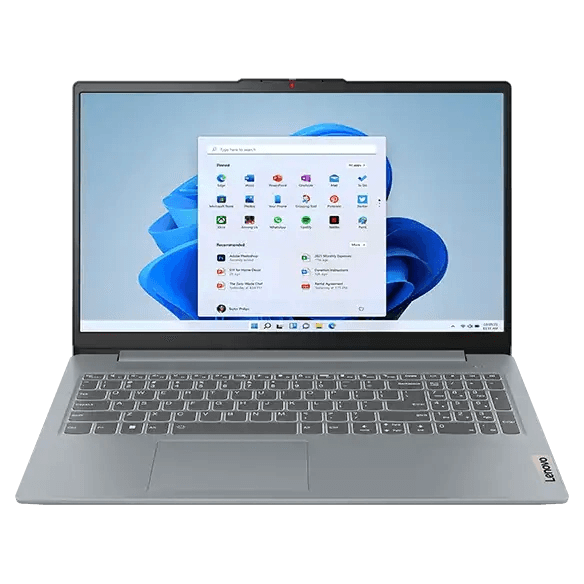
2. Lenovo IdeaPad Slim 3
[Image: Lenovo]
Overall Grade: A-
Typical Price Range: $450–$650
Lenovo keeps winning the budget segment because they don’t overthink it. The IdeaPad Slim 3 is light, efficient, and tuned perfectly for student workloads like Google Docs, Zoom classes, and light multitasking.
It’s not a powerhouse, but it’s consistent, and consistency matters more at this price.
Pros
Lightweight and portable
Great keyboard for typing
Affordable pricing
Efficient performance
Cons
Not for heavy editing or gaming
Display brightness could be better


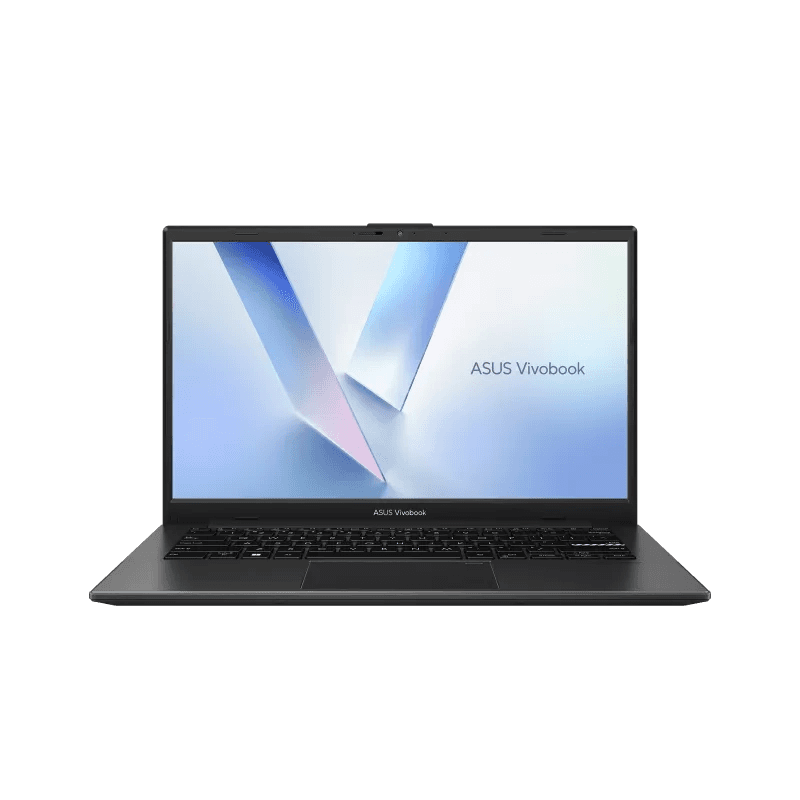
3. ASUS Vivobook Go 14
[Image: ASUS]
Overall Grade: A-
Typical Price Range: $400–$600
This is ASUS’s “budget but not boring” laptop. The Vivobook Go 14 delivers surprisingly smooth everyday performance and a clean design that doesn’t feel cheap.
For students who want something simple but modern, this hits the sweet spot.
Pros
Clean, modern design
Good everyday performance
Quiet operation
Solid portability
Cons
Limited performance headroom
Average speakers
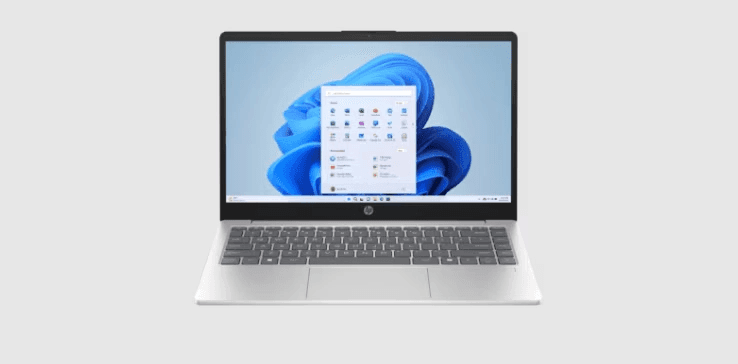
4. HP Laptop 14 (Budget Series)
[Image: HP]
Overall Grade: B+
Typical Price Range: $350–$550
HP’s entry-level 14-inch laptop is exactly what you expect, and that’s the point. It’s built for documents, browsing, online classes, and nothing more.
It won’t impress anyone, but it won’t fail you either.
Pros
Very affordable
Simple and easy to use
Decent battery life
Good for basic schoolwork
Cons
Weak performance under load
Display is average at best


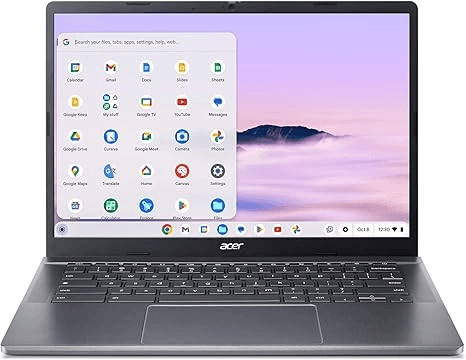
5. Acer Chromebook Plus 514
[Image: Acer]
Tech Unboxed Grade: A- (for cloud users)
Typical Price Range: $350–$500
If your entire school life runs on Google Docs, Drive, and browser-based apps, this Chromebook is easily one of the best value picks in 2026.
Fast boot times, strong battery life, and zero maintenance headaches make it perfect for younger students or lighter workloads.
Pros
Excellent battery life
Fast and lightweight
Very affordable long-term use
Great for cloud-based studying
Cons
Limited offline software support
Not ideal for engineering or heavy apps
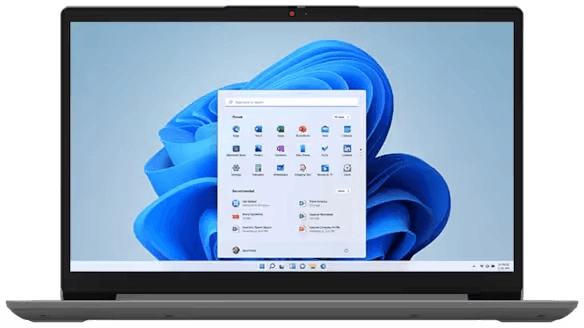
6. Lenovo IdeaPad 1
[Image: Lenovo]
Overall Grade: B
Typical Price Range: $250–$450
This is the ultra-budget fallback option. It’s not powerful, not fancy, and definitely not future-proof, but it gets students online and working for the lowest possible cost.
Pros
Cheapest option on the list
Lightweight and portable
Good for basic tasks
Cons
Slow under multitasking
Limited lifespan for heavy use
Which Student Laptop Should You Actually Buy?
Best Overall Value
Acer Aspire 5
Still the most balanced mix of price, performance, and longevity. Expect to spend around $500–$700, depending on the processor and memory configuration.
Best Lightweight Option
Lenovo IdeaPad Slim 3
Perfect for students who prioritize portability over raw power. Most configurations fall between $450–$650.
Best Budget Chromebook
Acer Chromebook Plus 514
Best pick if your school workflow is browser-based, with prices typically ranging from $350–$500.
Final Verdict
The truth in 2026 is simple: students don’t need expensive laptops, they need reliable ones that don’t slow them down during real schoolwork.
The Acer Aspire 5 dominates as the safest all-rounder, while the Lenovo IdeaPad Slim 3 and ASUS Vivobook Go 14 offer strong alternatives depending on preference. And for ultra-budget or cloud-first students, Chromebooks are more relevant than ever.
For most students, the sweet spot is between $400 and $700. Spend less than that and compromises become noticeable. Spend more, and you're often paying for premium features that won't make a meaningful difference in everyday coursework.

Marwin Jaino Cervañez
Consumer Tech & Gaming Writer
Marwin started writing for a geek-news site before diving into video games. Still a geek by nature, delving into technology is inevitable. PCs, Laptops, Cellphones, Headphones, as long as he can game. Exploring low to high end models, he wants to see how far consuming tech has come for work and play.
Recent stories by Marwin Jaino Cervañez: